Legal
Text message consent
Accounting firms that use AccountantPortal can text their clients reminders and one-time codes. This page explains how a client agrees to receive these texts, what they receive, how often, and how to stop them.
Last updated: November 2026
1. Who sends the texts
Texts are sent on behalf of the accounting firm the client works with, through AccountantPortal’s toll-free number +1 888-503-2652. Every text starts with the firm’s name, so the client knows who it is from.
2. How a client agrees to receive texts
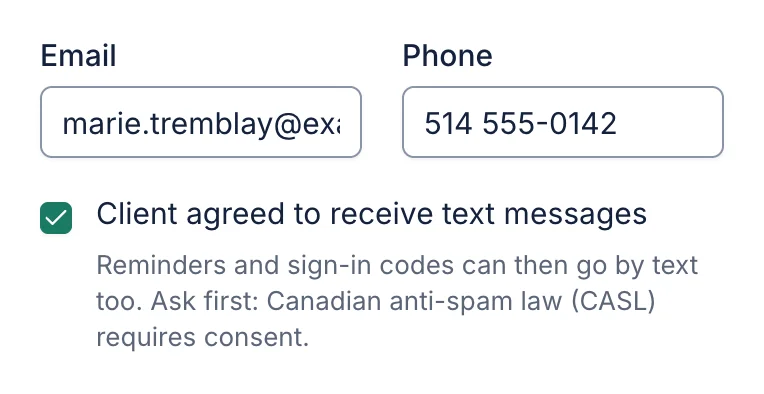
Texts are off by default. A client agrees to receive them directly with their accounting firm, in person, by phone or in writing, when they give the firm their mobile number. A firm member then ticks “Client agreed to receive text messages” on the client’s profile, and AccountantPortal records the date of that consent.
No text is ever sent to a client without that box ticked. The firm must also have turned text messages on in its settings. The consent box below is where firm staff record it:
3. What clients receive
- Reminders about documents still missing from their tax file, with a private link to upload them. Example: “Lavoie & Gagnon CPA: a friendly reminder that we still need 2 documents from you. Upload them securely: https://accountantportal.ca/lavoie/r/… Reply STOP to opt out.”
- One-time codes to open the client portal or sign a form, only when the client asks for a code by text. Example: “Lavoie & Gagnon CPA: your code is 482913. It works for 10 minutes. Don’t share it.”
No marketing or promotional messages are sent.
4. How often
Message frequency varies. A client typically receives up to 4 reminders per document request, spaced several days apart, and stops receiving them once their documents are in. Codes are sent only when the client asks for one. Reminders are not sent overnight.
5. How to stop, or get help
Reply STOP (or ARRET) at any time to stop all texts from this number; you’ll get one confirmation and nothing after that. Reply START to receive them again. Email reminders from your firm are not affected.
Reply HELP for help, contact your accounting firm, or write to support@accountantportal.ca.
6. Costs
Message and data rates may apply, depending on your mobile plan. Carriers are not liable for delayed or undelivered messages.
7. Privacy
Mobile numbers and text-message consent are never shared with third parties or affiliates for marketing purposes. See our privacy policy and terms of service.